
PROWLTOUCH Touchscreen Displays and Operation
The PROWLTOUCH touchscreen duplicates the functions of the Control Panel and mirrors its displays.
Master User Options
Selecting the Menu icon on the PROWLTOUCH Home Screen display the User options list. The options and operations
duplicate those of the Control Panel and provide access to the Installer and User configurable features. When entering the Tools menu, the Installer Code provides more options than the Master Code.
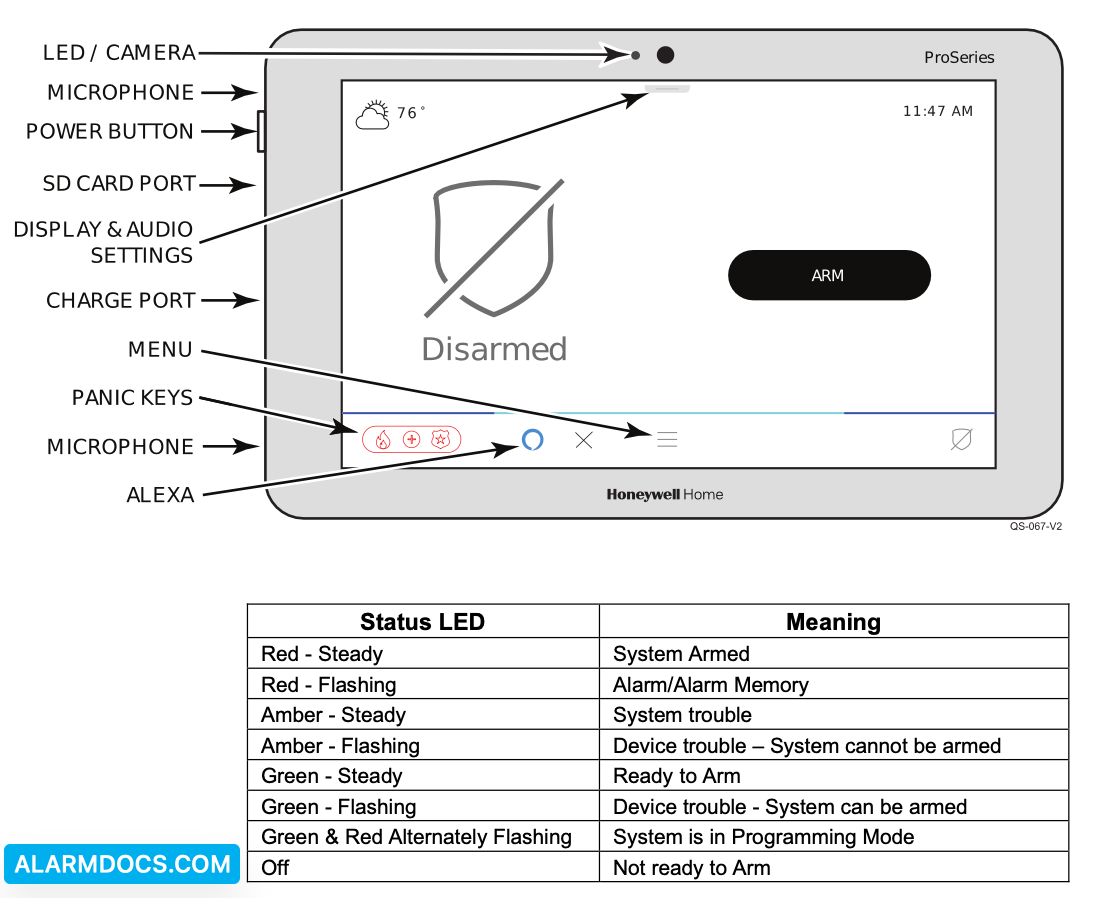
NOTE: The power button has 2 different functions:
- Press and Release toggles the screen off and on
- Press and Hold to display the options of Power Off or Restart.