This bi-directional wireless key fob (wireless key) is intended for use with Honeywell Home controls that support PROSiX ™ series devices.
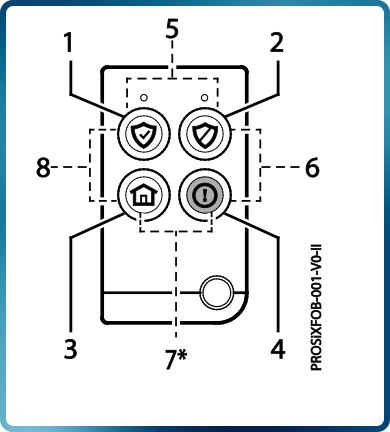
Press and hold each button about 2 seconds to activate. (For two-button Panic, press and hold both buttons for 2 seconds.)
BUTTON KEYS 1-8
(Corresponding services are seen when programming the key fob through the programming menu.)
ENROLL AND PROGRAM THE PROSIXFOB
Set the control in Programming mode, when prompted:
- Press and hold the top two buttons for about two seconds to activate the enrollment process.
- The LEDs alternately flash green during enrollment (up to about 20 seconds). The device sends its unique MAC ID and Services information to the controller.
NOTE: Enrollment time varies depending on the signal strength between the device and the controller. - The LEDs light solid green for 3 seconds and the PROSiXFOB emits a chirp to confirm enrollment. NOTE: If enrollment is not confirmed, press and hold the top two buttons for two seconds again to restart the enrollment process.
- Use program menu to change default key functions as desired.
- Assign a User Number to the key fob.
Follow instructions in the Controller’s programming guide to program the PROSiXFOB services. - After enrolling, update the PROSiXFOB firmware (via the Controller) to ensure the latest version is used. See the Controller’s instructions.
Follow instructions in the Controller’s programming guide to program the PROSiXFOB services.

BATTERY REPLACEMENT
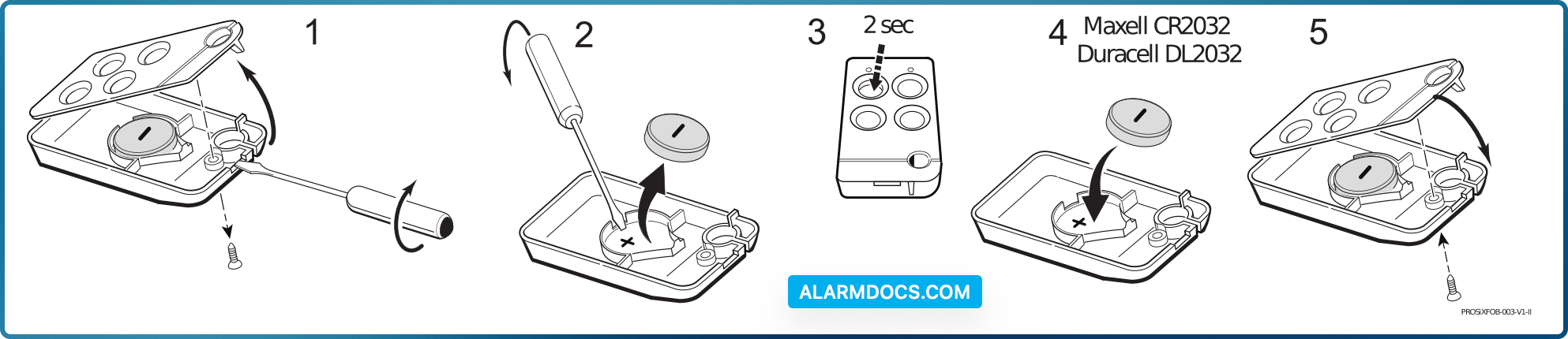
When the battery is low, the LEDs do not flash during transmission. To replace the battery:
- Remove the screw from the back housing and use a screwdriver to gently separate the front and back housings. Use a screwdriver to carefully remove the battery.
- Wait 10 seconds or press a key fob button for 2 seconds to ensure full power discharge.
- Insert a new Lithium, 3V, 210mAh battery as shown. Recommended replacement battery: Maxell CR2032 or Duracell DL2032
- Replace the front housing and secure the housings with the cover screw.
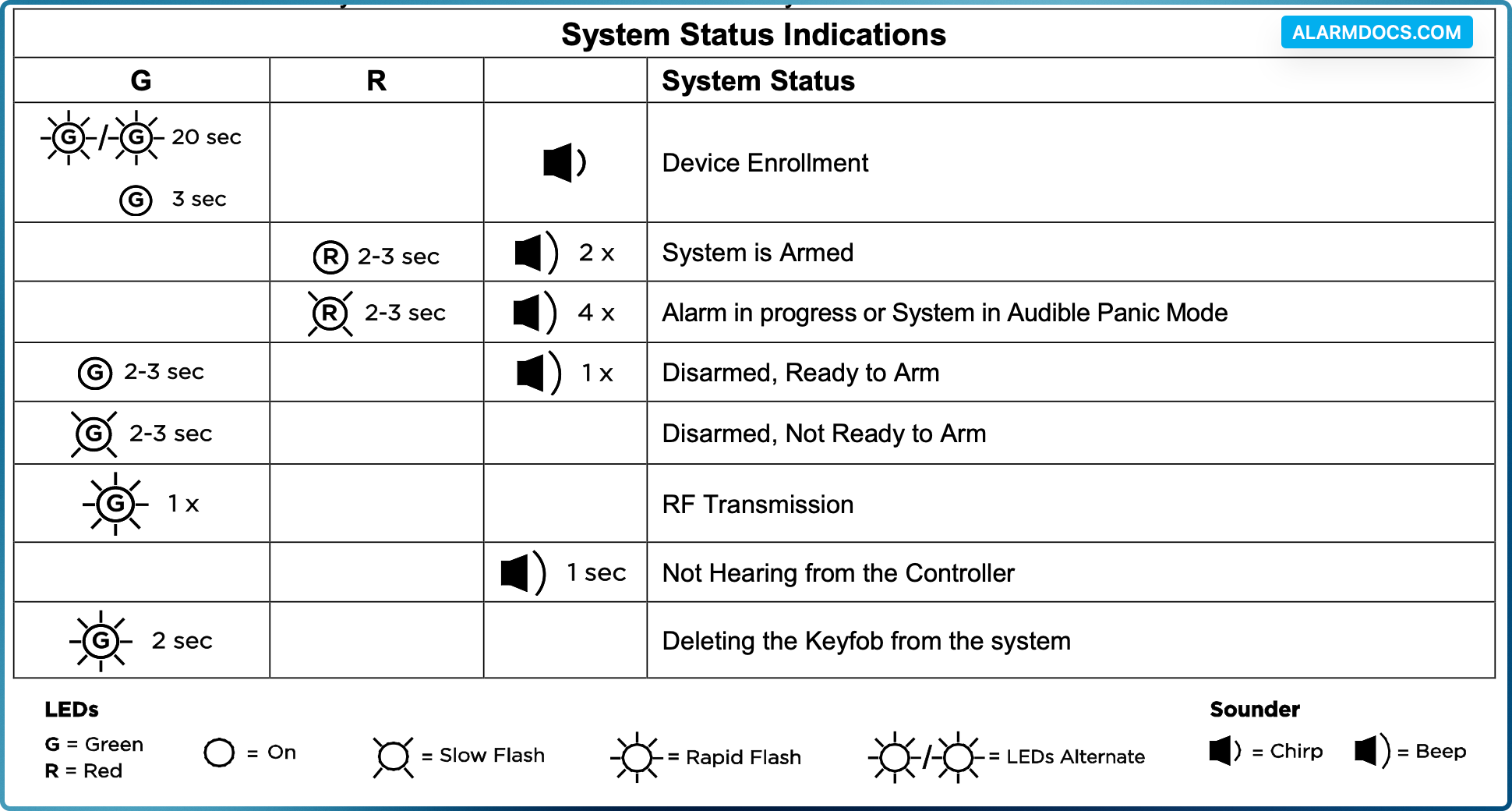
SYSTEM STATUS AND SOUNDER INDICATIONS
The PROSiXFOB can be used to control the system (e.g., arm, disarm the system); and receive system status information (armed status, not ready to arm, in alarm, in RF transmission mode, and more). Press and release any button and observe the keyfob. Refer to the table below for system status information.