
Before installation, check the package and make sure that all components are included. Contact your rep or Speco customer service department immediately if something is broken or missing in the package.
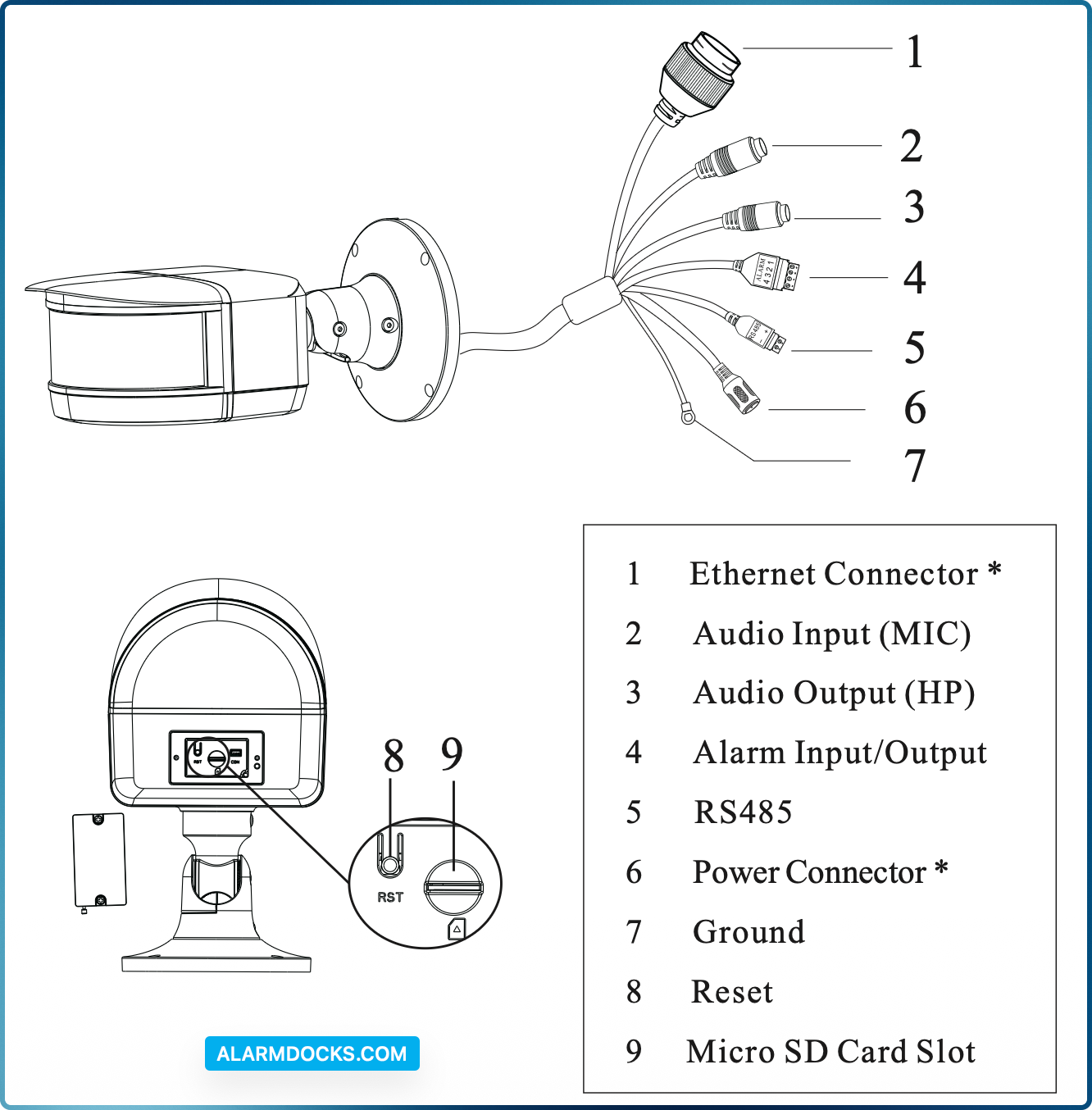
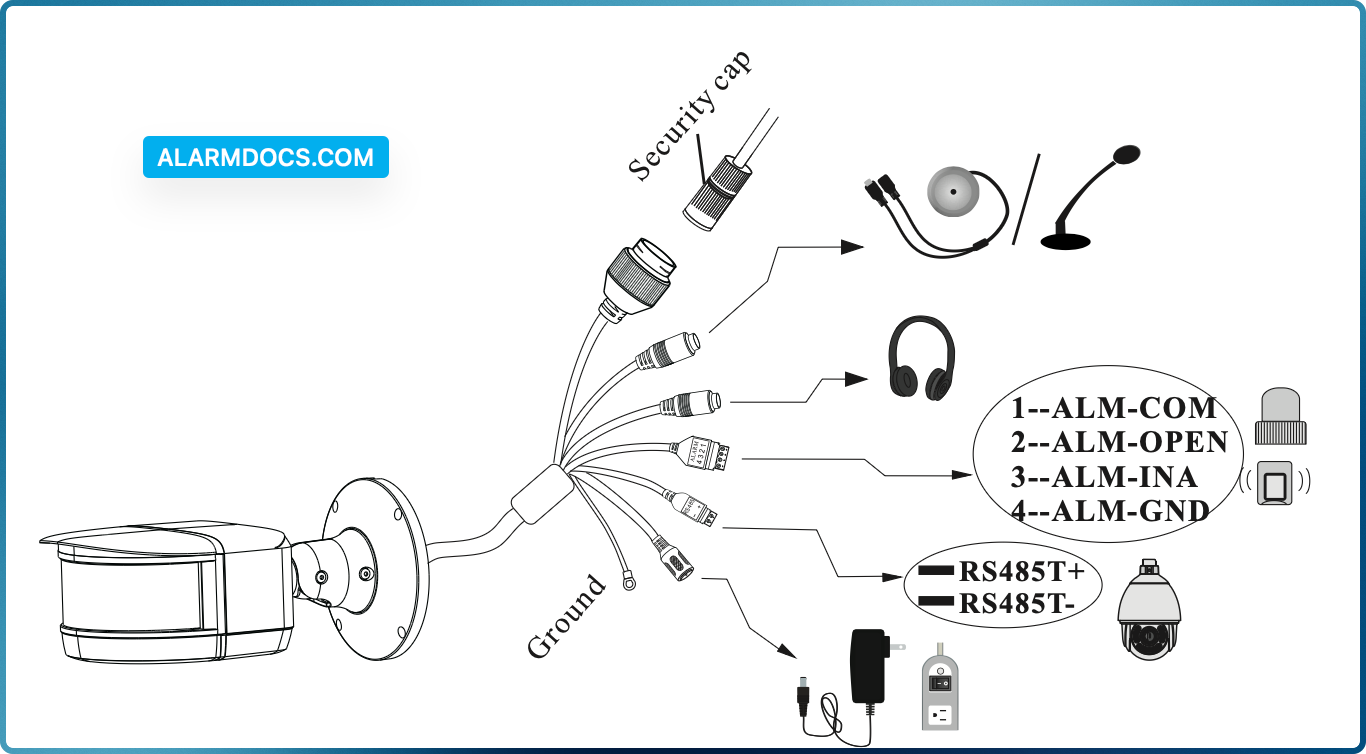
It is recommended to install the security cap for outdoor installations.
DC 12V power supply is not required if a PoE switch or injector is used to power the camera.
Connecting Network Cable
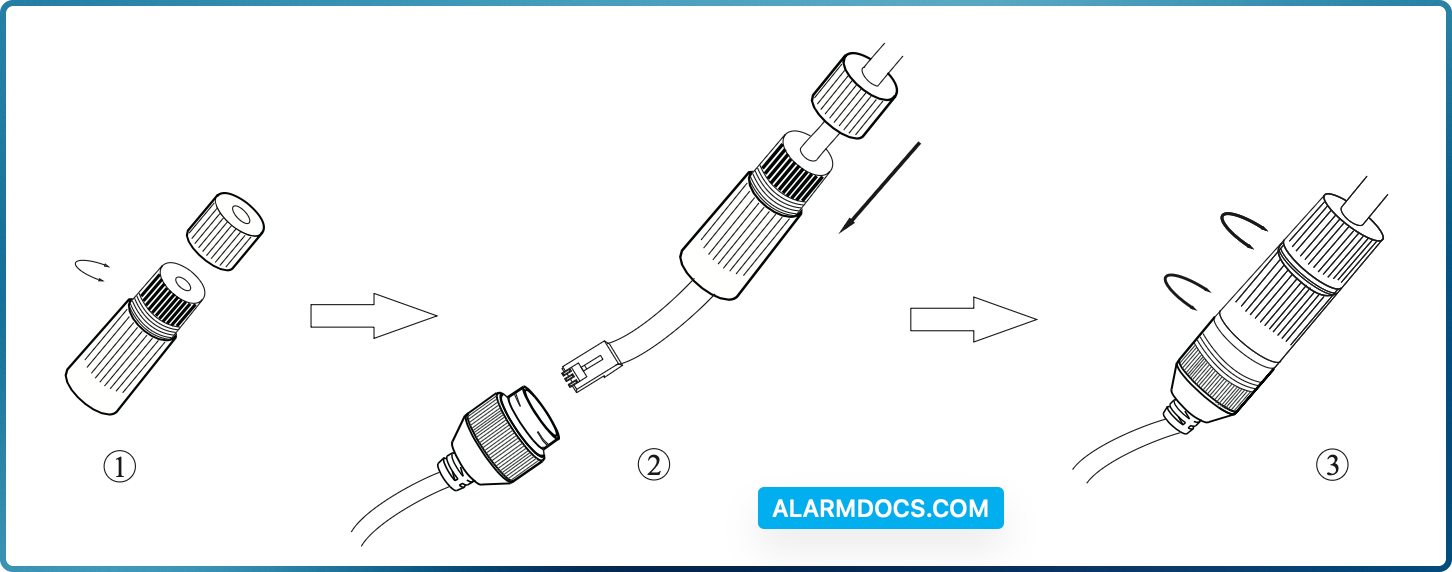
- Loosen the nut from the main element.
- Run the network cable (without RJ 45 connector) through both elements. Then crimp the cable with RJ 45 connector.
- Connect the cable to the hermetic connector. Then tighten the nut and the main cover.
Installation
1. Mount the junction box to the wall or ceiling with screws.
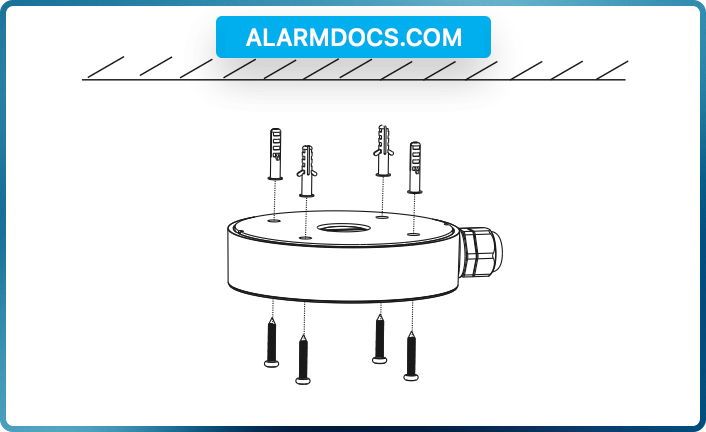
2. Route the cables and connect the relevant cables (Take cable going through mounting surface for example).
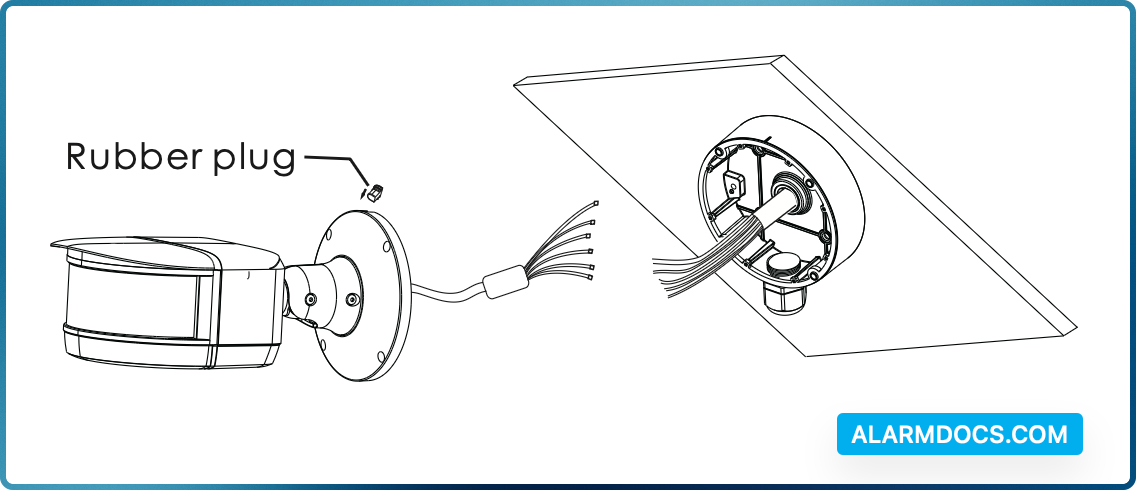
3. Fix the camera onto the junction box with screws.
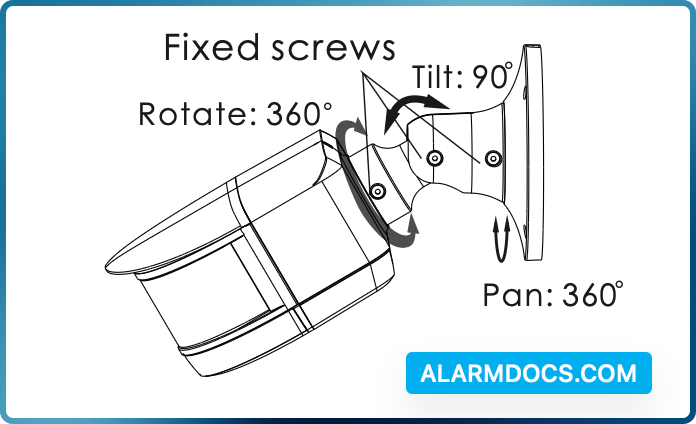
4. Bracket adjustment. Before adjustment, preview the image of the camera on a monitor and then loosen the fixed screws to adjust the view angle of the camera. After that, tighten the fixed screws.
Web Operation and Login
IP Scanner can search for the device on the local network.
Operation
- Make sure that the camera and the PC are connected to the same local network. The camera is set to DHCP by default.
- Install IP Scanner from the CD and run it after installation.
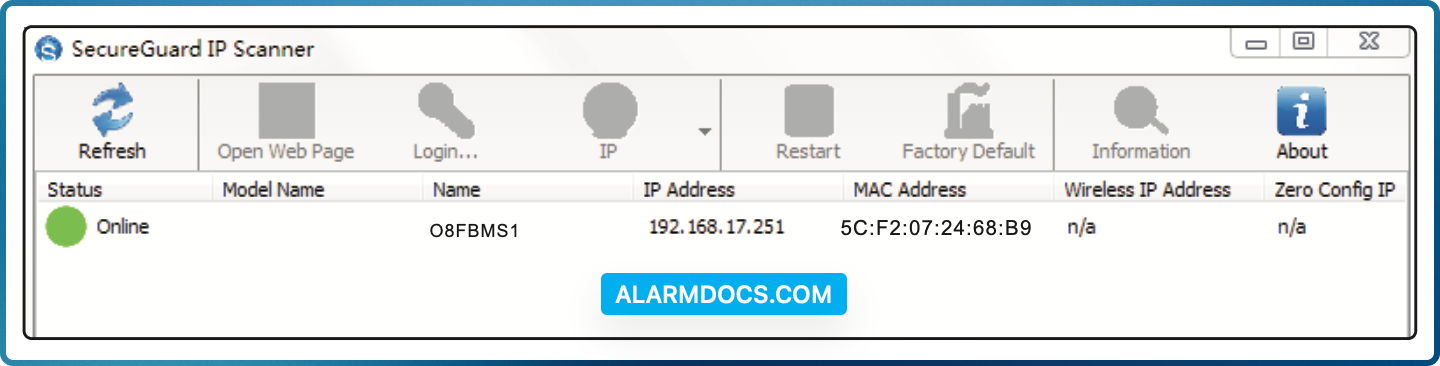
In the device list, you can view the IP address, model number, and MAC address of each device. Select the applicable device and double click to open up the web viewer. You can also manually enter the IP address in the address bar of the web browser.
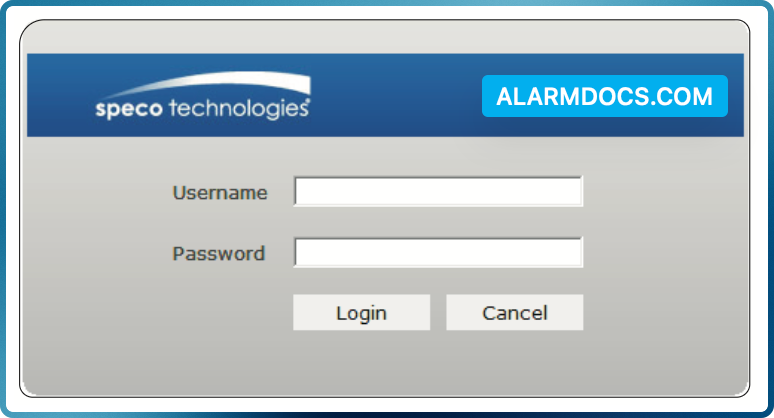
The login interface is shown above. Default user name is admin and password is 1234. After logging in, follow directions to install applicable plugins.