
The 1148 Personal Pendant is a one-button, wireless emergency transmitter designed to be worn as a wristband or on a break-away lanyard. The 1148 may be used to activate an event at the receiver.
The 1148 features a permanently sealed, water-resistant design and includes a Status LED to provide visual indication that a message has been transmitted and received by the receiver. The 1148 operates using a pre-installed non-removable battery.
USE AS WRISTBAND OR LANYARD
The 1148 Personal Pendant can be placed on a wristband or lanyard. The wristband or lanyard clips are only inserted in one direction. See Figures 2 and 3. The wristband clips can be removed by pulling the clip in the opposite direction. Once inserted the lanyard clips cannot be removed.
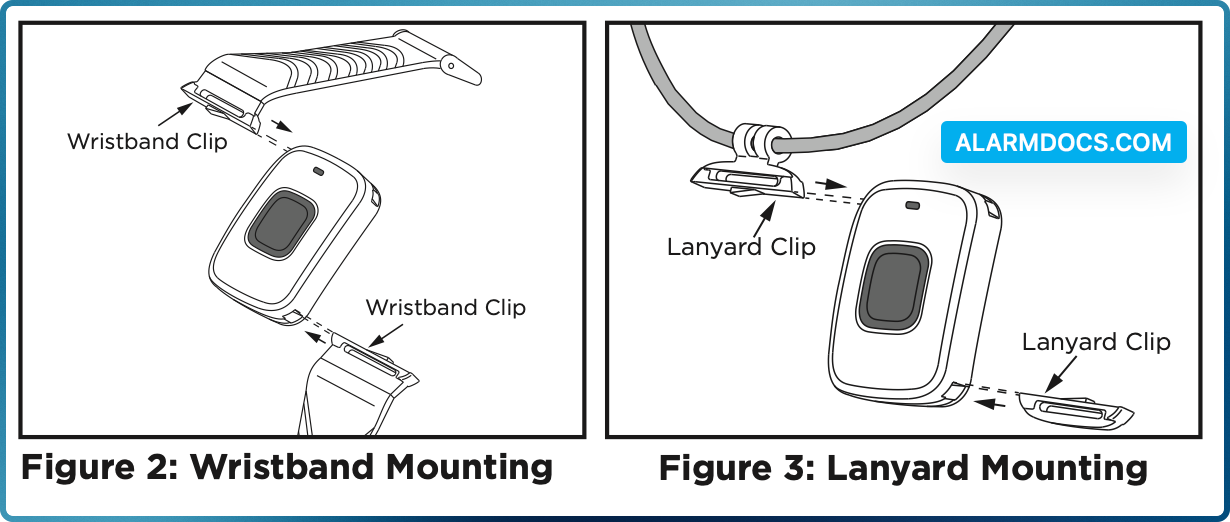
Wristband:
- 1. Slide the wristband clip into the slots. See Figure 2.
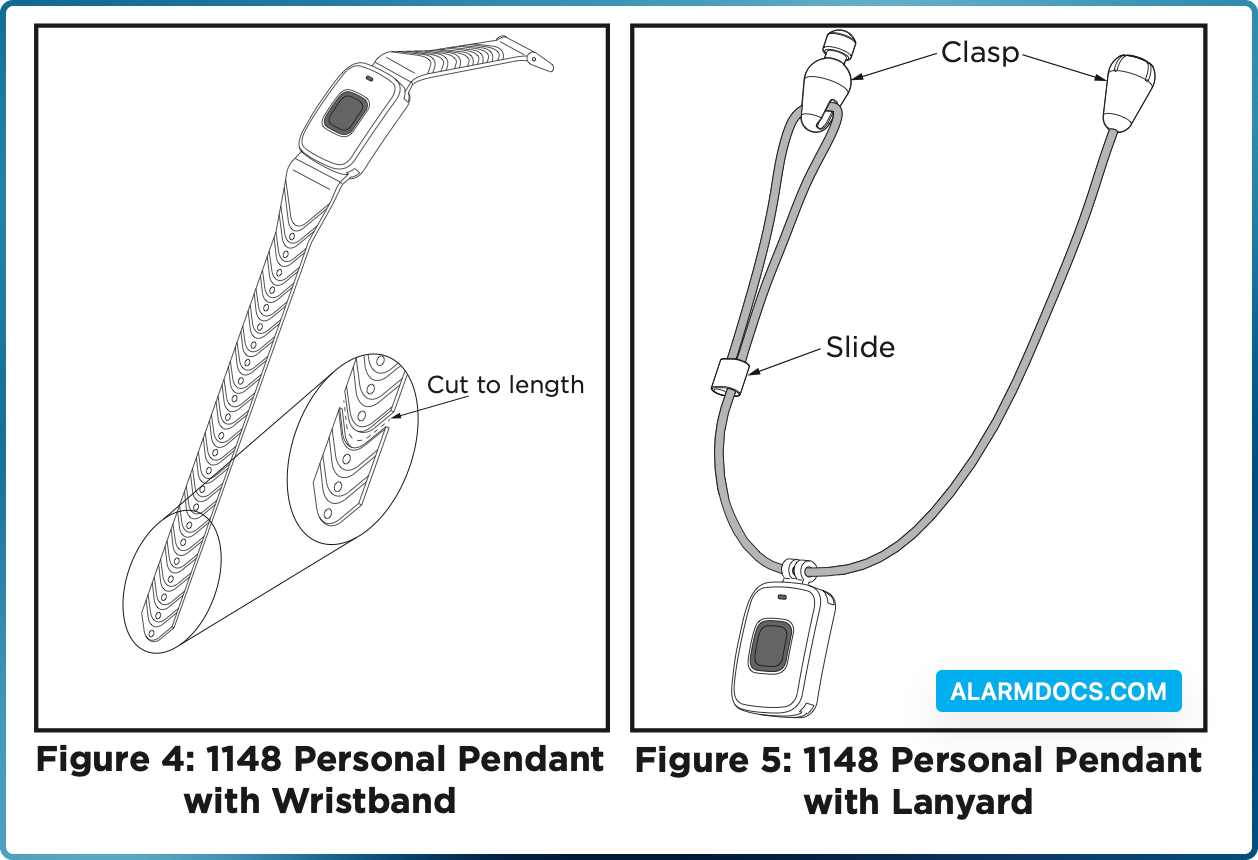
- 2. Adjust the wristband to fit your wrist and trim excess band length using scissors by cutting along the thinned area between the clasp holes for a custom fit. See Figure 4.
Lanyard:
- 1. Slide the lanyard mount into the slots. See Figure 3.
- 2. Place the lanyard around your neck and snap together the break-away clasp. See Figure 5.
- 3. Adjust the length of the lanyard to fit using the slide. See Figure 5.
PROGRAM THE PENDANT
Program the pendant as an Emergency (EM) Zone type in Zone Information during panel programming. At the Serial Number: option, enter the eight-digit serial number on the back of the pendant. Refer to the panel programming guide as necessary. To extend battery life, Supervision Time programming should be set to 0.
LED STATUS OPERATION PROGRAMMING
When the button is pressed, the 1148 Status LED operates according to the LED OPERATION NO YES option in ZONE INFORMATION.
- YES The Status LED blinks once when the button is pressed and once every second for five minutes to confirm a message was sent.
- NO The Status LED blinks once when the button is pressed to confirm a message was sent.
LED SURVEY
The 1148 Personal Pendant provides a Survey LED capability to allow one person to confirm communication with the wireless receiver or panel. Press the button to send data to the panel and determine if communication is confirmed or faulty.
TEST THE PENDANT
As with any non-stationary wireless device, the 1148 pendant should be tested at least every 30 days. The 1148 is for use in applications where it stays within the range of the wireless receiver. Should the pendant be taken out of the range of the receiver, press the pendant button to test it once it is within range.