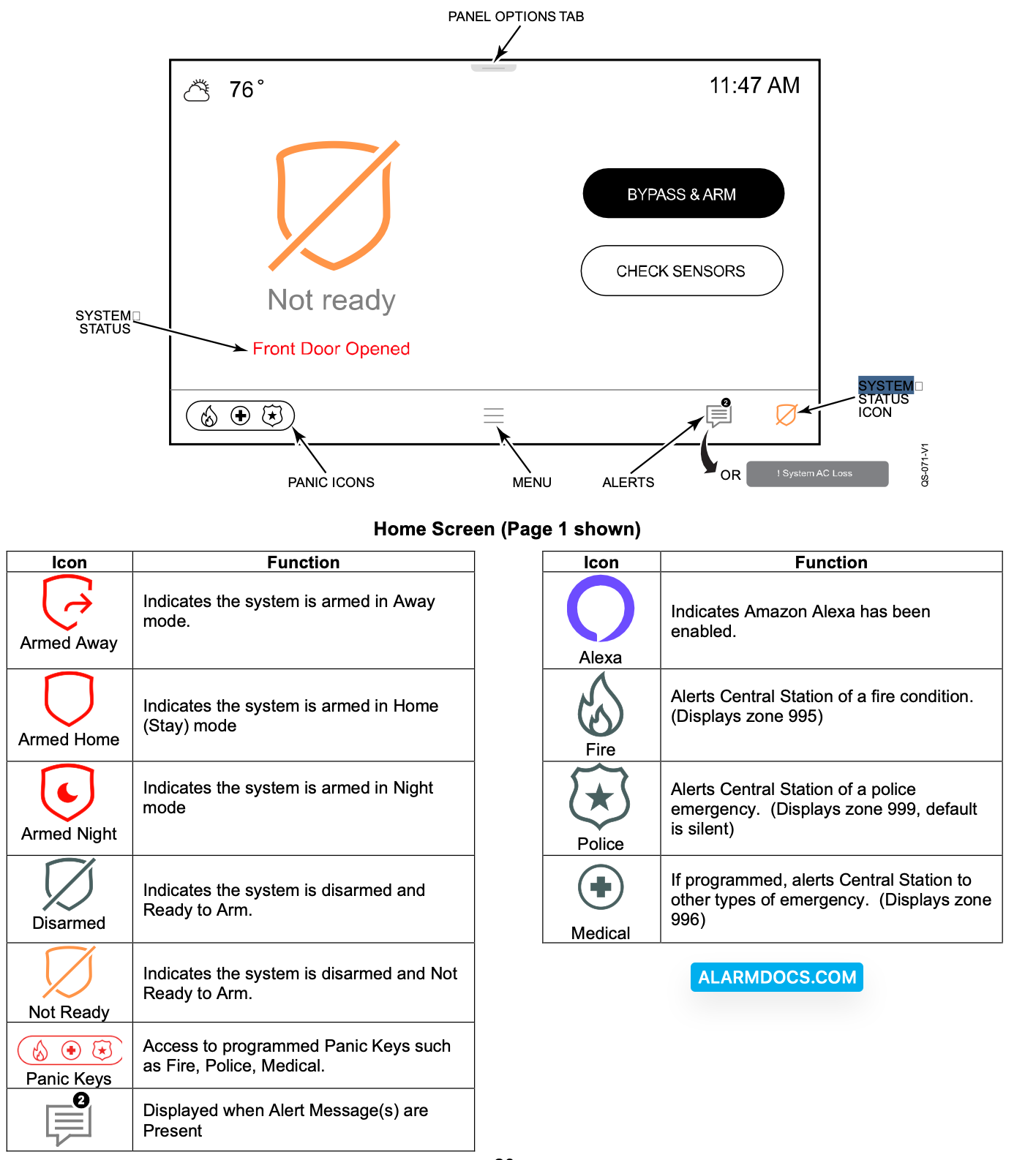
System Status is displayed below the large icon on the left side of the touchscreen. In addition, the Home Screen displays the current weather, date and time and selectable options are displayed on a separate menu. Select the Menu icon to display the available Menu options.
Navigating through the screens is accomplished by lightly touching the icons or menu items on the touchscreen. Once activated, the Control Panel advances to the next screen, toggles between options or scrolls through multiple options that can be selected. The system provides a prompt when a specific input is required.