Before You Begin
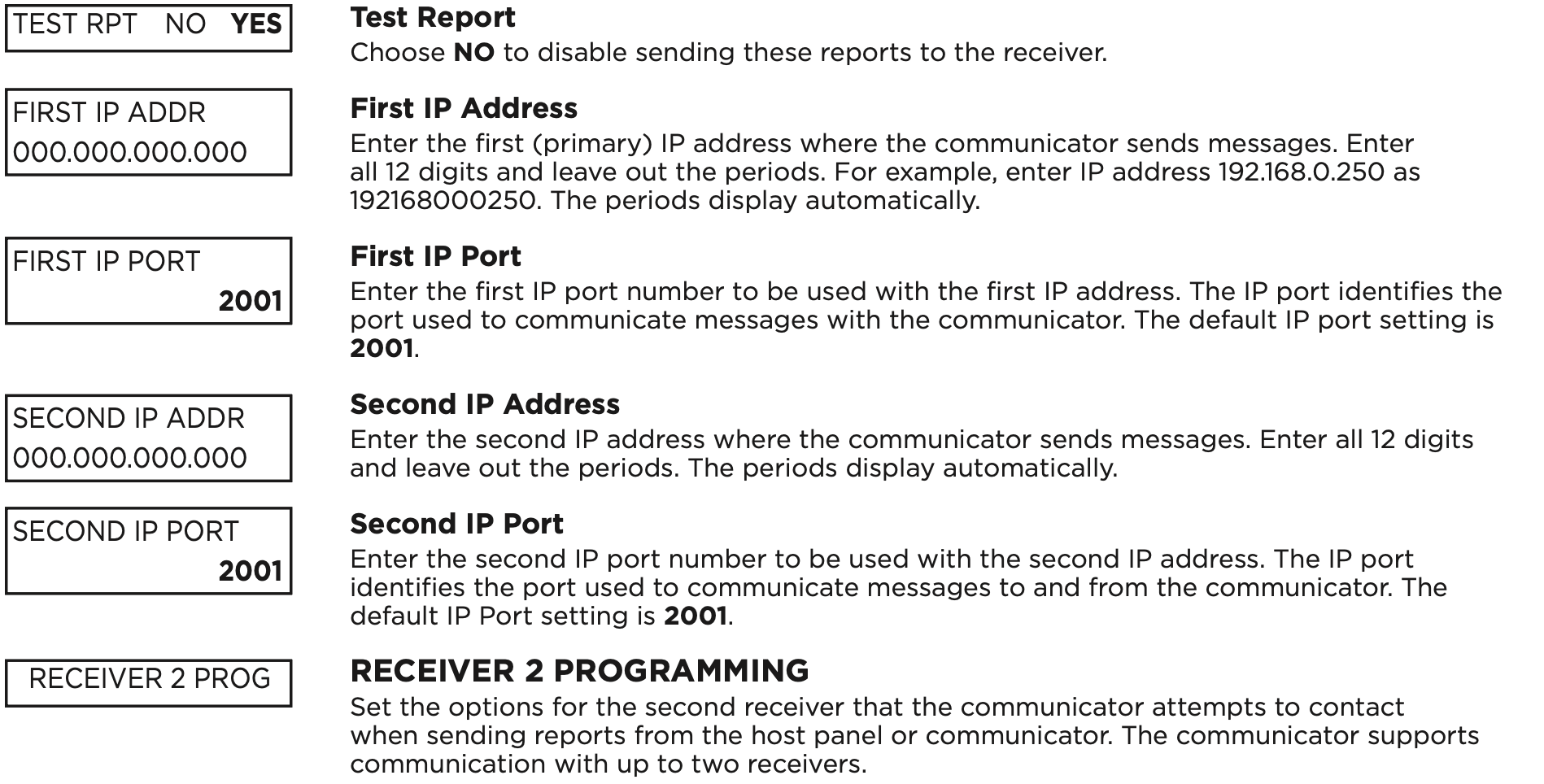
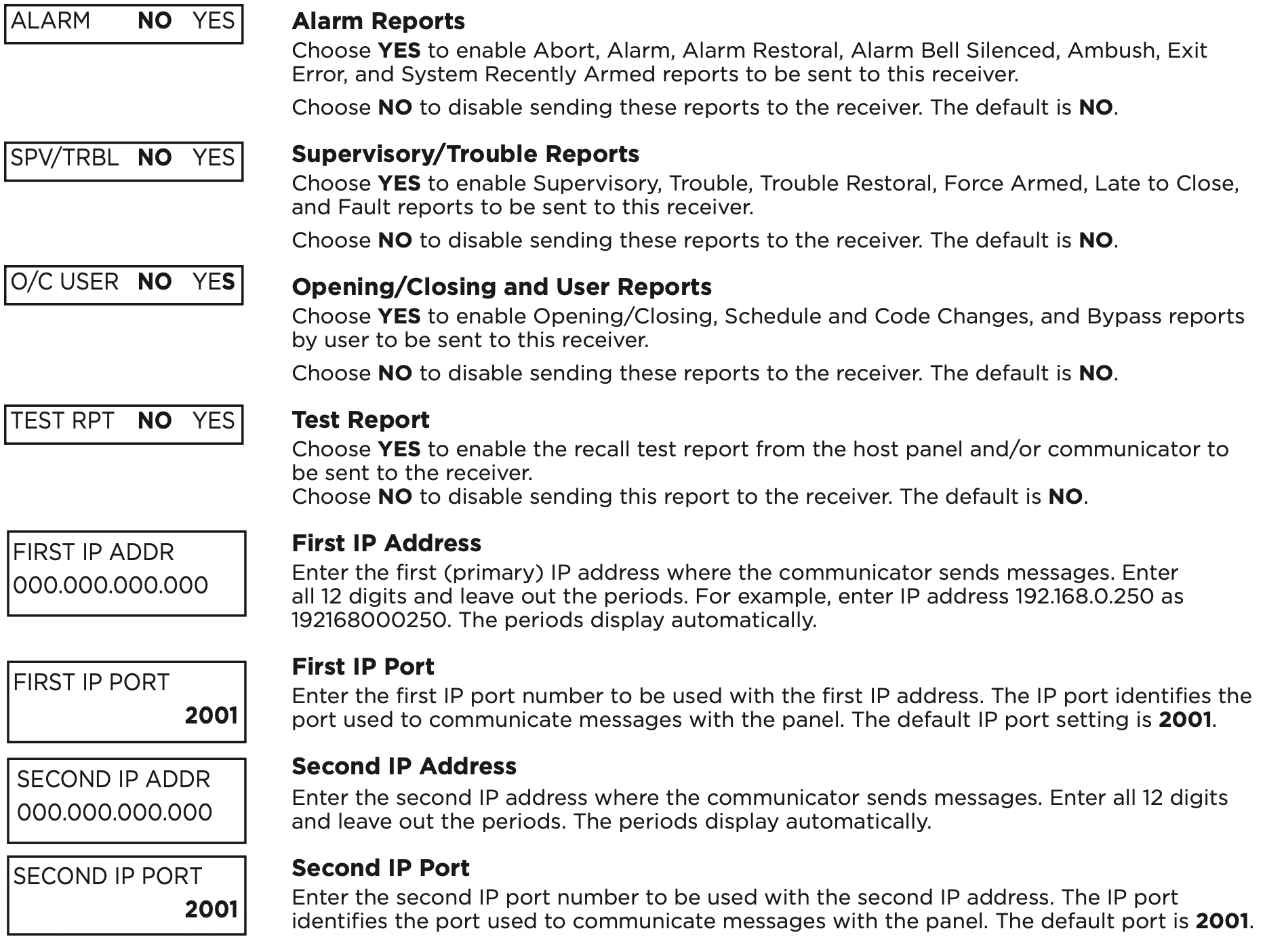
Read this guide before you begin programming. This guide allows you to quickly learn the programming options and operational capabilities of the CellCom Series communicator. The communicator contains all of its programming information in an on-board processor and does not require an external programmer.
Programming Sheet
Fill out the programming sheet included with this device before you begin programming. The programming sheet lists the various options available for programming the communicator and allows you to keep a record of what options you intend to enter, reducing programming errors.
Default Master Code
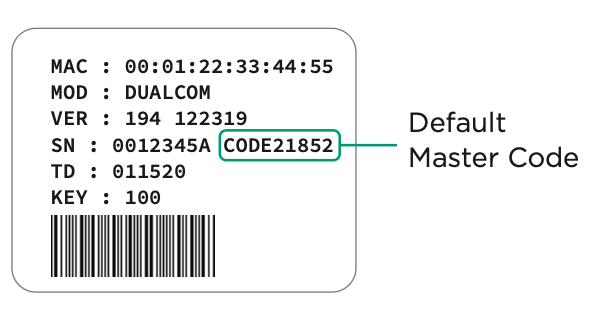
Universal Communicators Version 194 and higher ship with a unique four‑digit default master code. This master code is generated with an algorithm that ensures it cannot be duplicated. The code can be modified or deleted in panel programming. To revert the default code to 99, use the Clear All Codes option found in the Initialization menu. Panels ship with the master code on the serial number label next to the serial number.
Initializing the Communicator
When programming a communicator for the first time or rewriting the entire program of an existing communicator, use the initialization programming option. See Initialization. Initializing clears the communicator’s memory and sets the highest user number to user code 99.
Accessing the Programmer
To access the programmer function of the communicator:
- Connect the keypad to the programming header.
- Press and release the reset button.
- Enter 6653 (PROG). The keypad displays PROGRAMMER.
Programming Menu
The following is a list of programming menu options available in the programming menu. Press CMD to advance through the programming menu options. To select a menu option, press any select area when the desired menu option displays on the keypad. Use this list to navigate to your desired programming menu option in this guide.
- Initialization
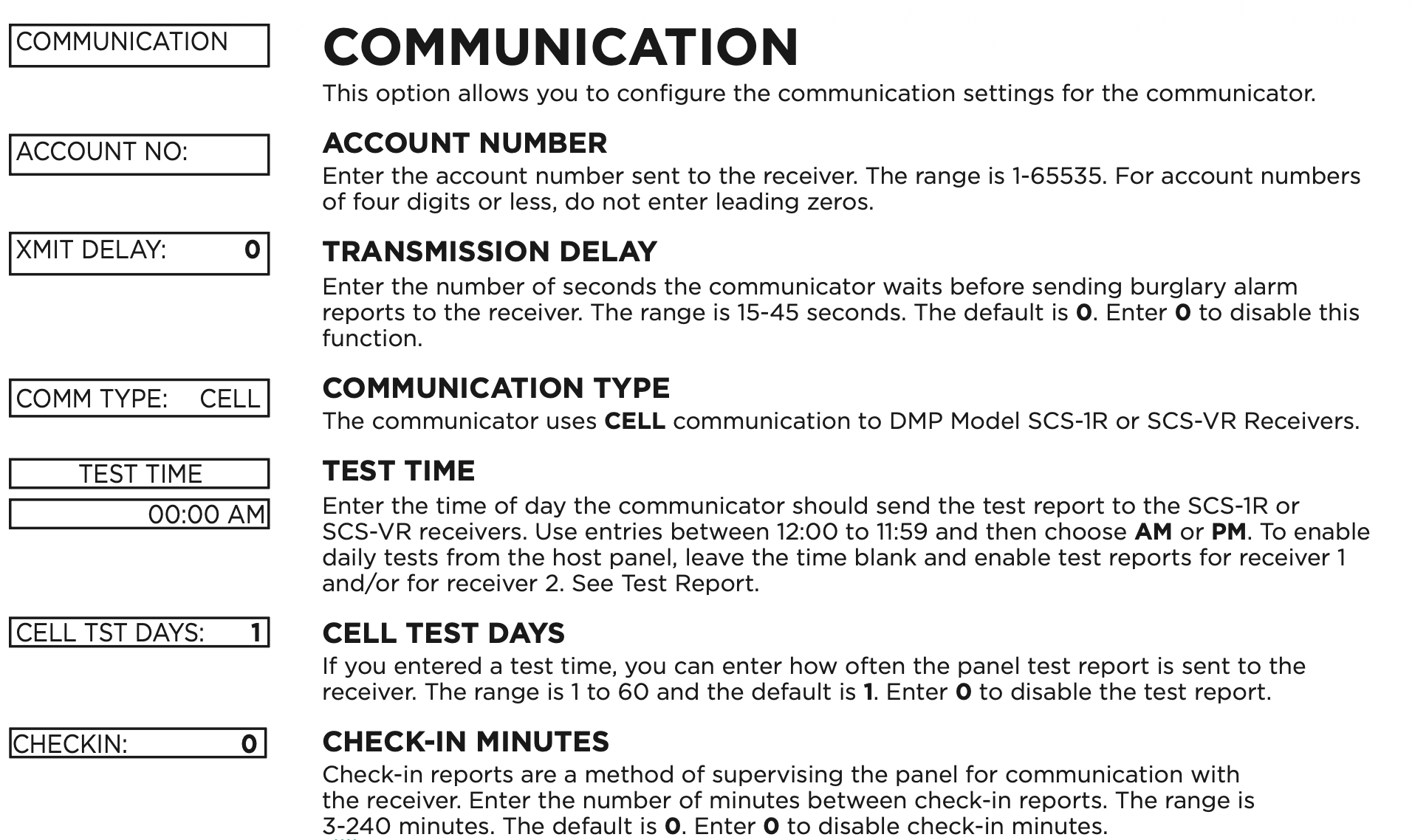
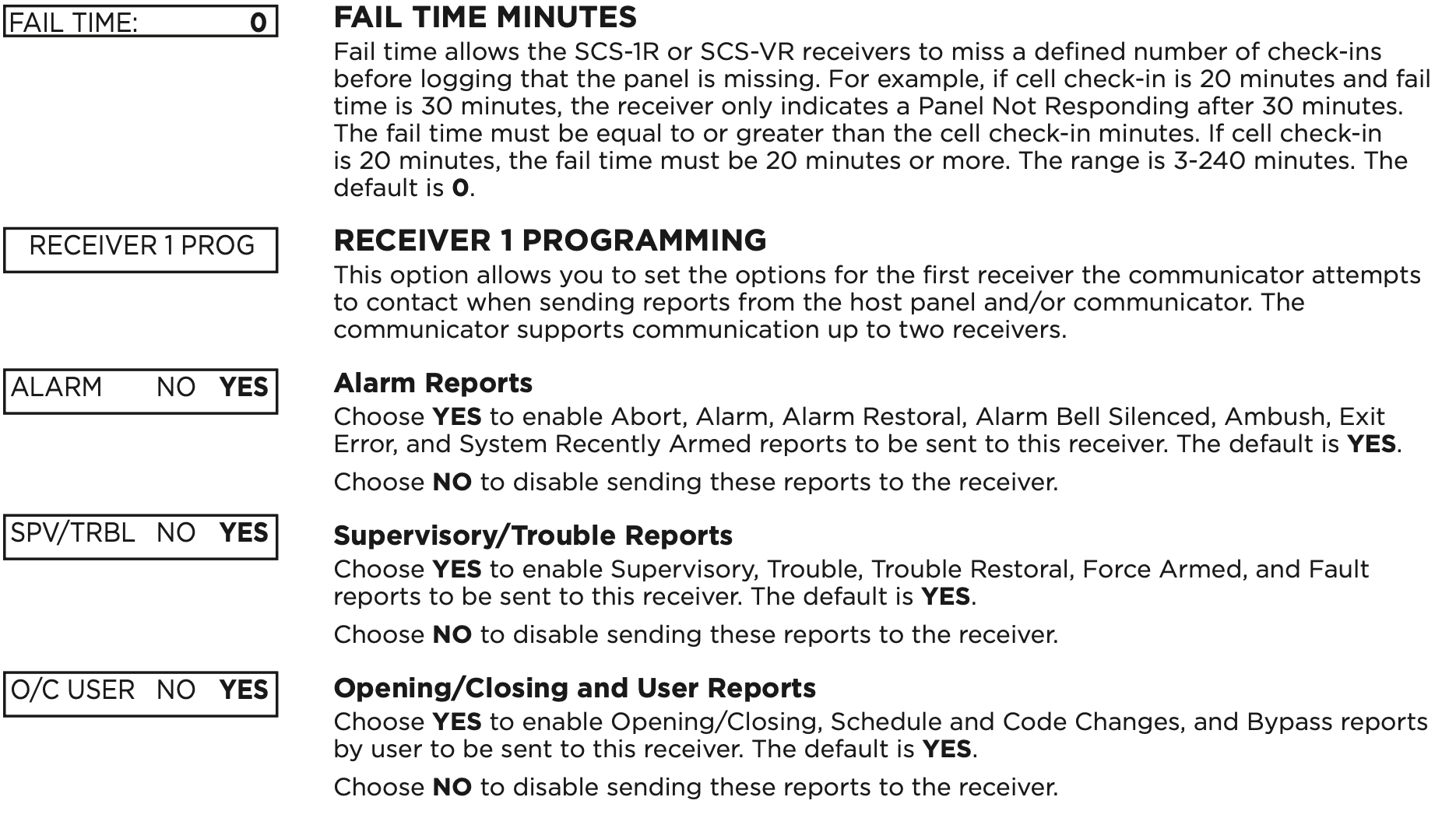
- Communication
- Remote Options
- System Reports
- System Options
- Output Options
- Area Information
- Zone Information
- Stop
- Set Lockout Code
Reset Timeout
You must enter the programmer menu within 30 minutes of resetting the communicator to avoid reset timeout. After 30 minutes, if you attempt to program by entering the 6653 (PROG) code, the keypad displays RESET PANEL. You must reset the communicator and enter the program code within the next 30 minutes.
If you are already in the programmer menu and do not press any keys on the keypad for 30 minutes, the communicator exits programming. All data entered up to that point is saved in the communicator memory.
To exit the programmer menu, use the stop option. The stop option is the second-to-last option in programming and disarms all areas. The programming session is terminated and the keypad returns to status list or main screen.
Current Programming
Each programming option that displays shows the information already programmed in the communicator memory. To change the already programmed information, simply replace the information. To change a programming option that requires a YES or NO response, press the select area for the desired response.
INITIALIZATION
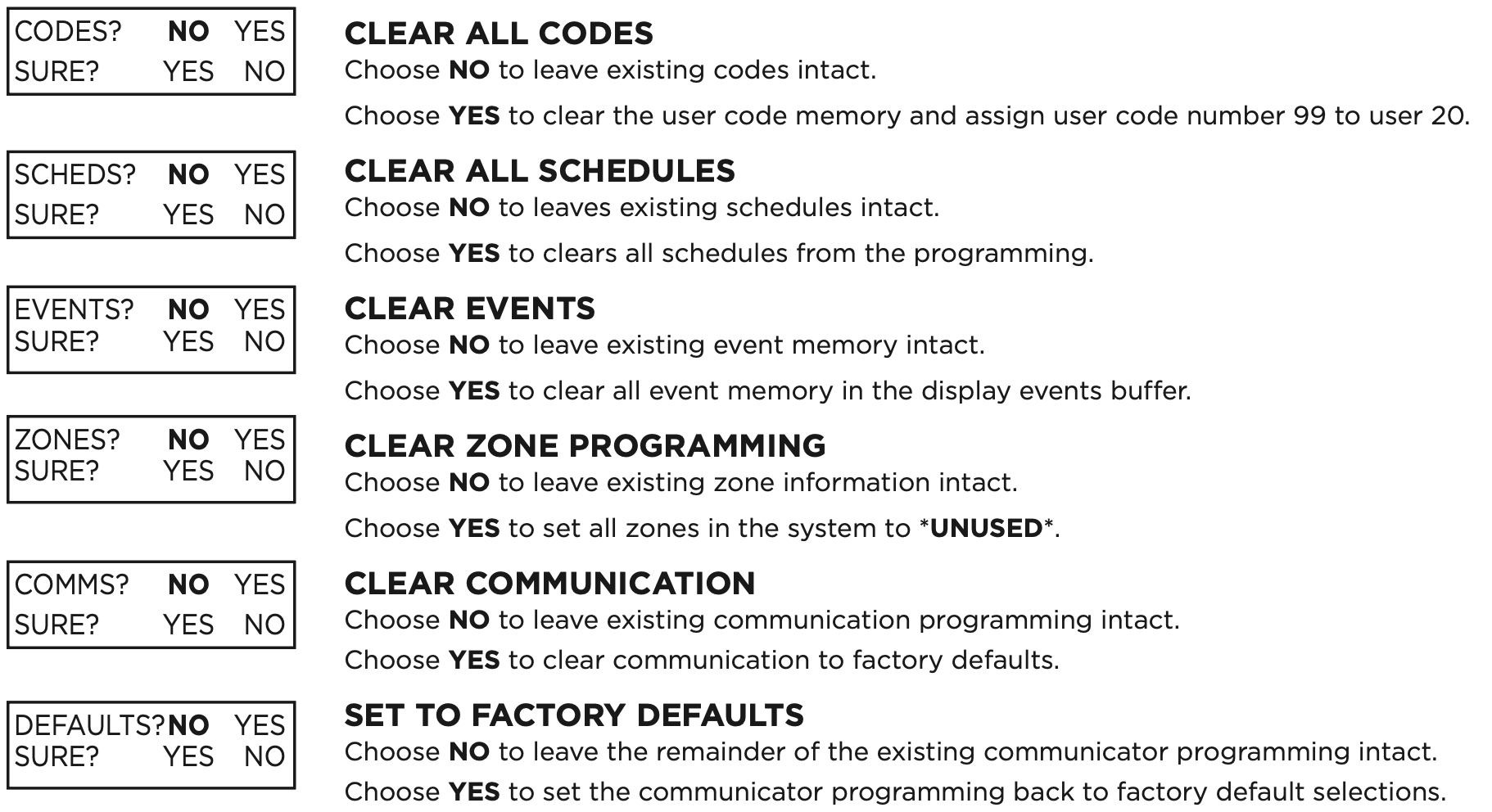
This option allows you to set the communicator’s programmed memory back to the factory defaults in preparation for system programming.
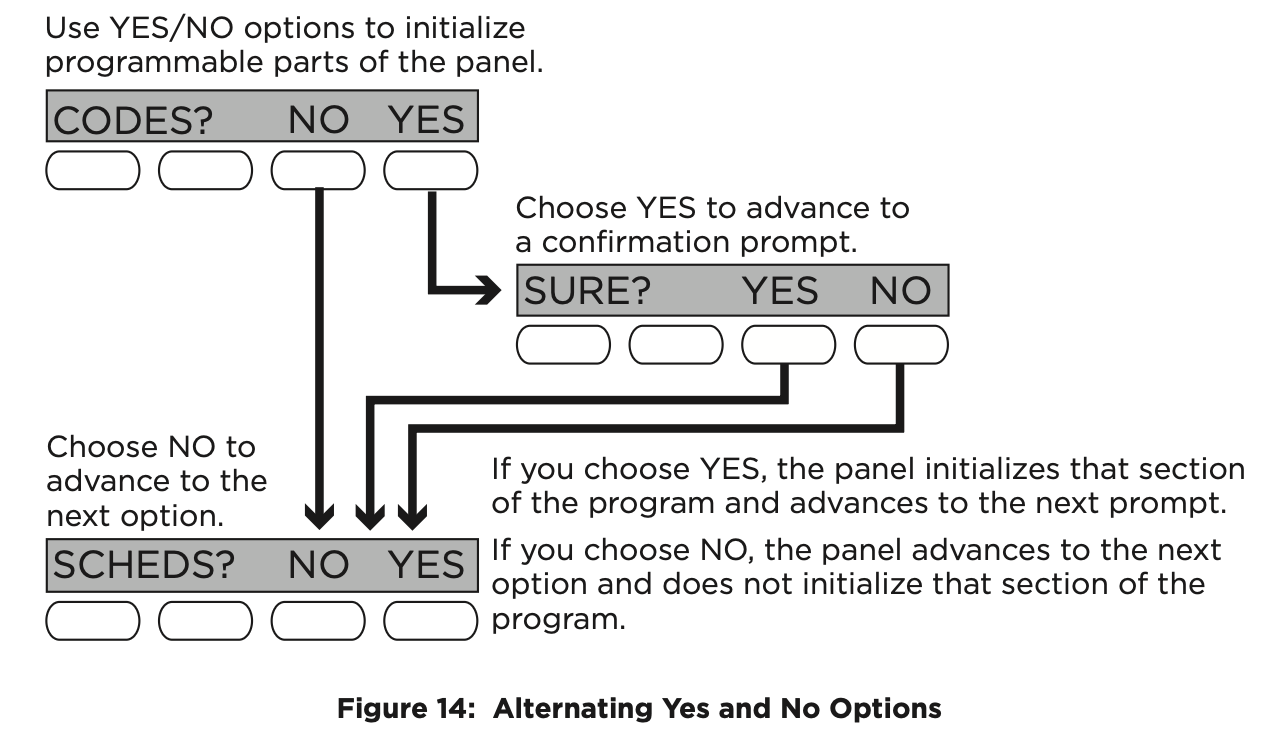
After selecting YES to clear a section of memory, the communicator asks if you are sure you want to clear the memory. This is a safeguard against accidently erasing part of your programming. No memory is cleared from the programming until you answer YES to the confirmation prompt.