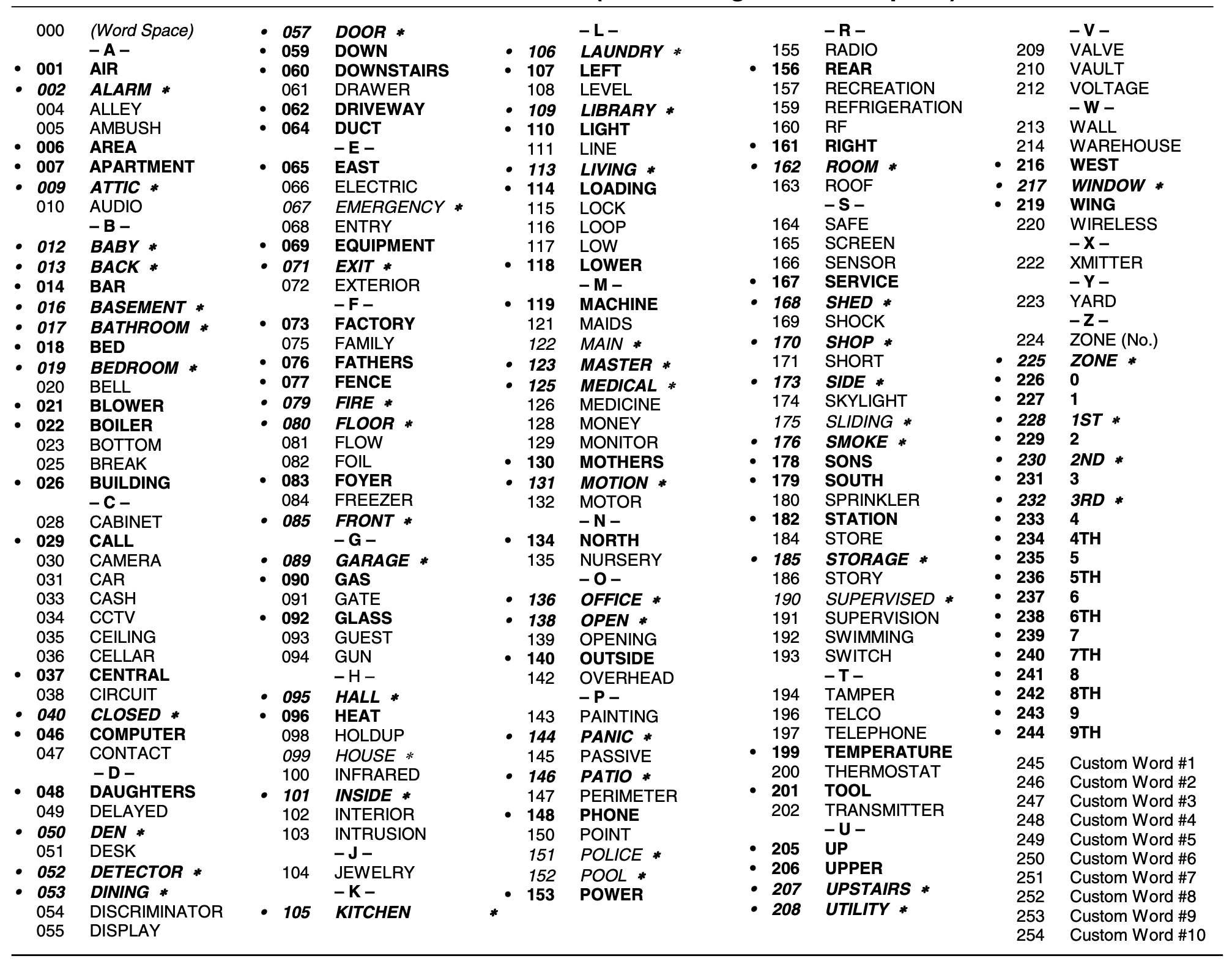
The “Vista ALPHA VOCABULARY LIST” refers to the built-in list of words for programming descriptive labels on a Honeywell Vista security system, accessed through the *82 command. To use it, you must be in alpha programming mode, then enter * followed by the zone number, and then * again. To add a word, press # followed by the three-digit code for the word from the vocabulary list, and then press 6 to move to the next word slot.