
The Takeover Module allows Resideo PRO Series control panels to communicate with previously installed wireless sensors and modules that transmit on the following frequencies:
319.5MHz, 345MHz, 433.42 and 433.92MHz. Refer to the PROTAKEOVER Compatibility Chart (p/n 800-24626 or later).
The module connects directly to the control panel and is powered via the control panel’s connection.
INSTALLING THE MODULE
- Remove electrical power (if applied). Refer to the System Shutdown section for additional information.
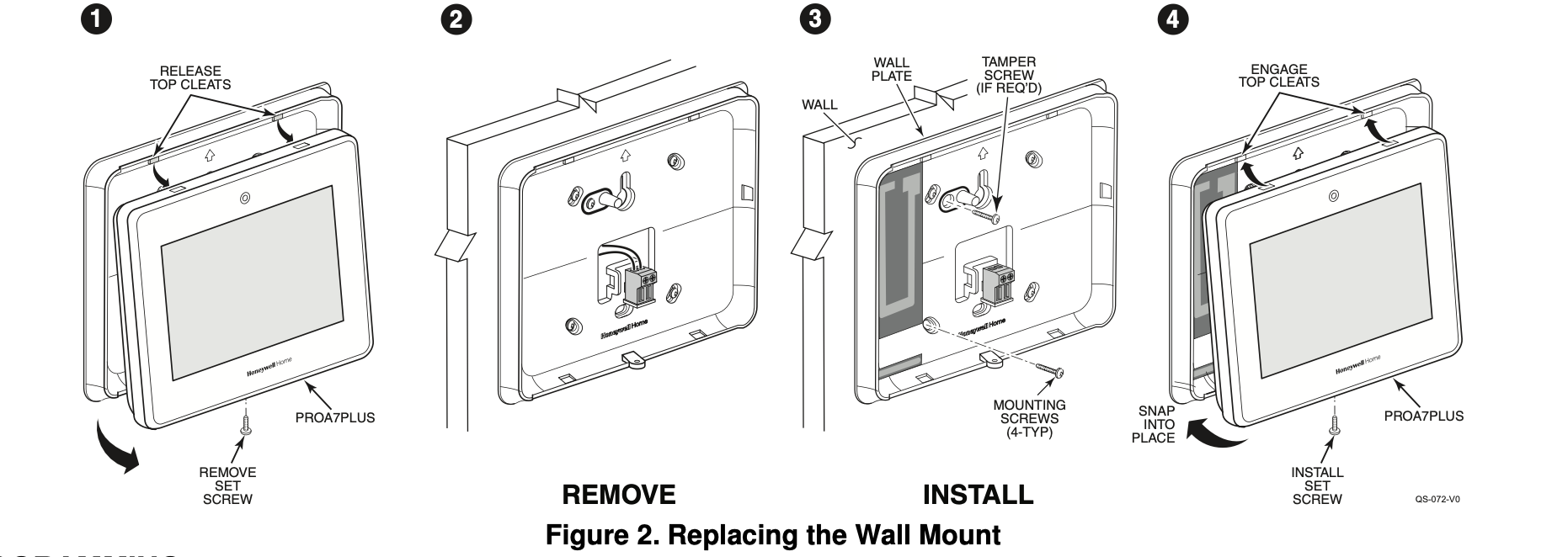
- Remove the screw securing the control to the wall mount. Rotate the Control Panel and lift it from the wall mount, being careful not to damage the wiring.
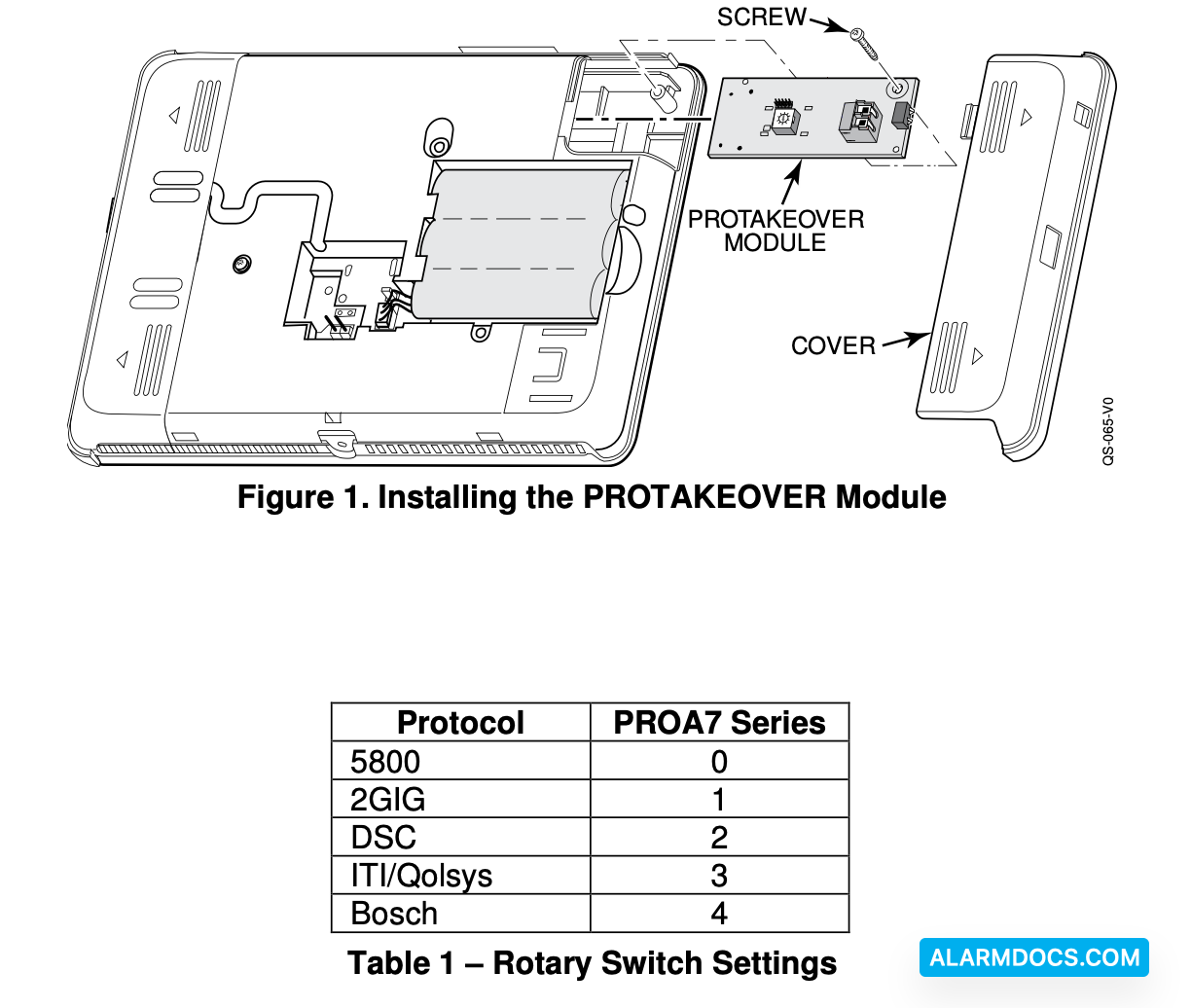
- Remove the right side cover.
- Set the rotary switch on the PROTAKEOVER module to the setting associated with the existing wireless sensors and modules and the Control Panel. Refer to Table 1 for the supported protocols.
- Insert the PROTAKEOVER module into the slot on the right side of the Control Panel as shown and ensure the receptacle is securely seated on the Control Panel’s edge connector. Secure with the provided screw.
- Reinstall the access cover, taking care to avoid bending the contacts on the module.
- Remove the existing wall mount and replace with the wall mount (containing the integrated antenna) provided with PROTAKEOVER module.
Install the control on the replacement wall mount and secure with the screw.
PROGRAMMING
Programming associated with the PROTAKEOVER module is accomplished as part of the control panel programming.