
You can add up to 242 users to your system, each with a custom name and access level you allow.
- Master: Access panel functions, camera, and system settings.
- User: Access panel functions, camera, but NOT system settings.
- Guest: Used to give arm and disarm access to those users who will use the panel on a temporary basis
- Expiration Date: Choose a specific date that will disable a user code automatically.
Notifications
By creating individual users, you can set up custom text notifications when they access or use your system, keeping you connected no matter where you are.
How to Add a New User
- Step 1: Swipe down to access settings tray (Click on the clock)
- Step 2: Touch “SETTINGS”
- Step 3: Touch “ADVANCED SETTINGS”
- Step 4: Enter your master code*
- Step 5: Touch “User Management”
- Step 6: Touch “Add User”
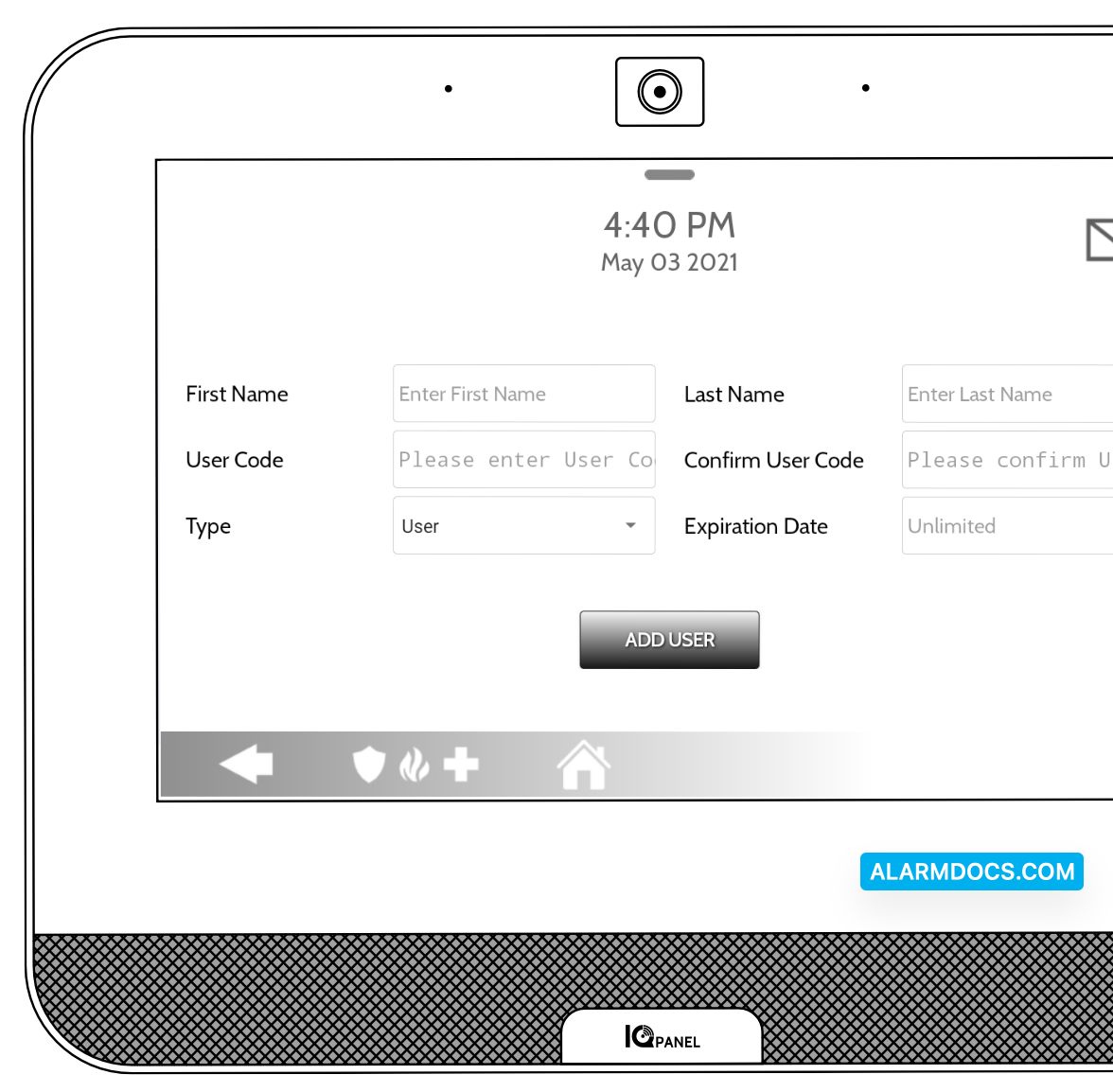
Once on the “Add User” screen you can create a custom name and user code and indicate whether you want this person to be a Master, User, or Guest.